CKA Day1: Docker Architecture Explained
My CKA Preparation Journey
I am currently preparing for the Certified Kubernetes Administrator (CKA) exam.
I am studying using this YouTube playlist: CKA Study Playlist
I will write summaries of what I learn from each lesson to reinforce my understanding and track my progress.
Docker Architecture Explained
Docker has revolutionized how we deploy applications. Let's break down its architecture with some diagrams.
Traditional VMs vs Containers
Before Docker, we relied heavily on Virtual Machines. Here's how they compare:
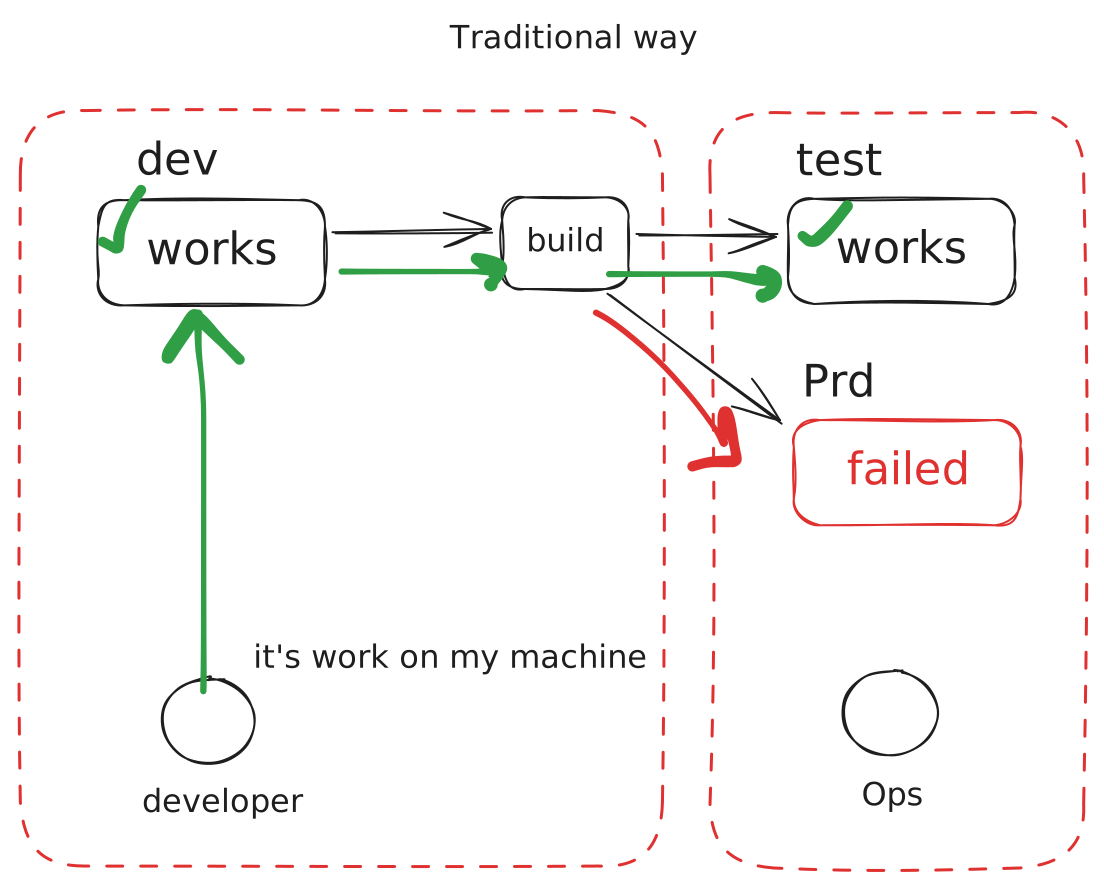
VMs include a full operating system for each instance, which can be resource-heavy.
Docker Container Architecture
Docker uses a different approach with containers:
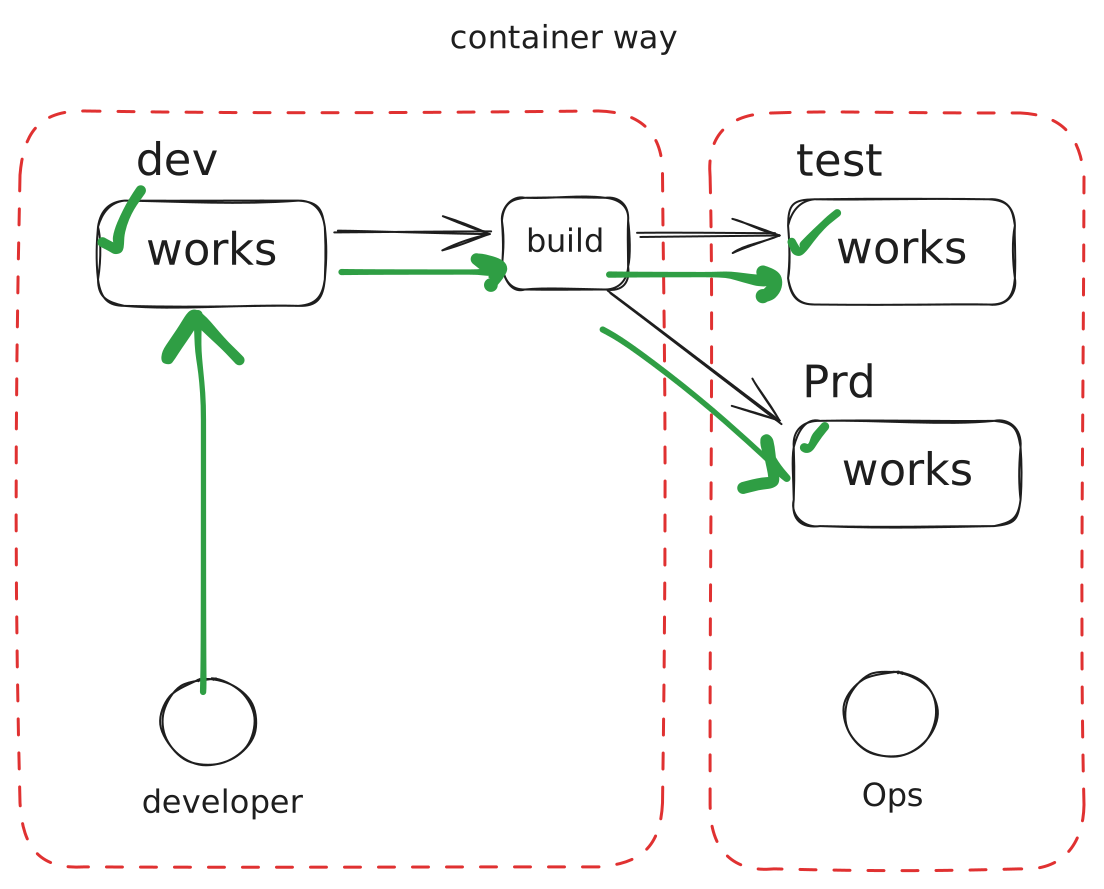
Containers share the host OS kernel, making them lightweight and fast.
Full Docker Architecture
Here's the complete picture of how Docker works:
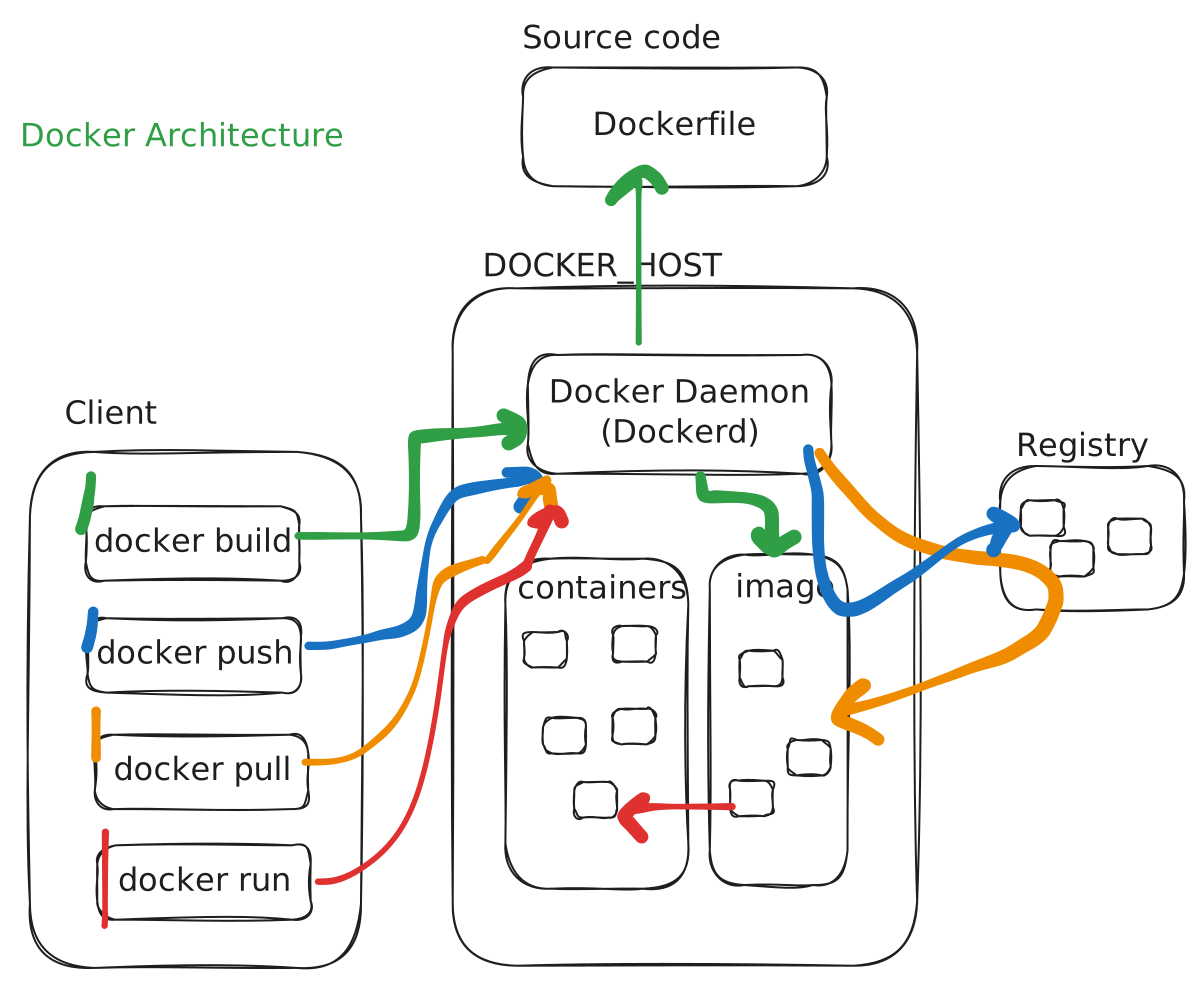
Key components:
- Docker Daemon: The background service managing containers
- Docker Client: CLI tool to interact with Docker
- Registry: Where images are stored (Docker Hub, etc.)
- Images: Read-only templates for containers
- Containers: Running instances of images
Comparison
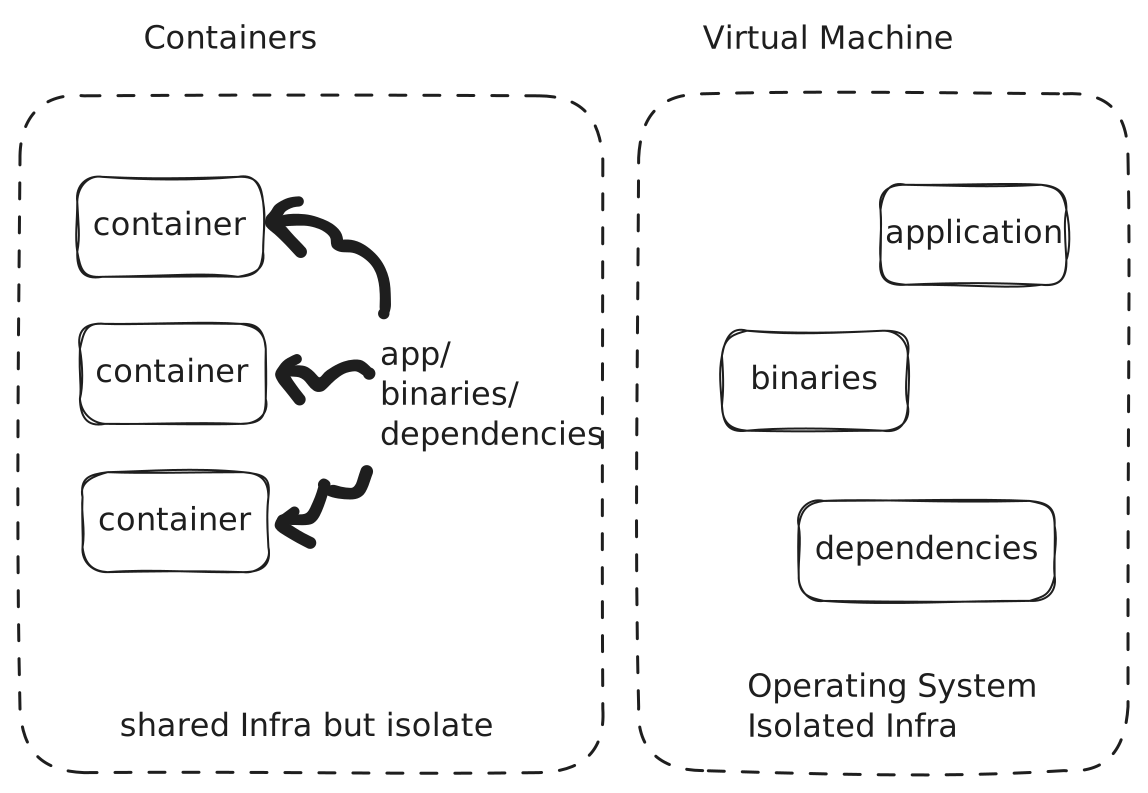
Side-by-side comparison of VMs and Containers:
Why It Matters
Understanding this architecture helps you:
- Debug container issues more effectively
- Optimize your Dockerfiles
- Design better microservices
- Understand networking and storage